Small and lightweight screen capture tool

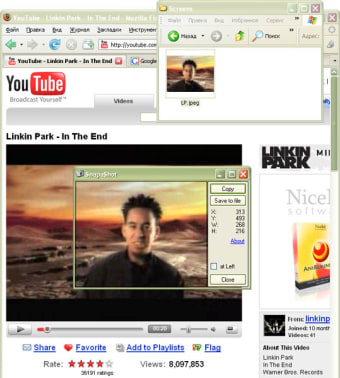
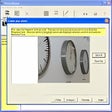
SnapaShot captures the entire screen or parts of it in a slightly different way. The interface provides a transparent framework that can be changed in size by stretching their edges. Simply move it across the screen and "snap" the part that you want to save. After cropping it, you can copy it to the clipboard or save it directly to a file.

Top Recommended Alternative

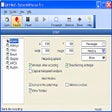
What I really like about this program is that it doesn't require installation. It can be run directly from the EXE file including from a USB stick. Unfortunately, you get limited control over how you shape and add effects to the screenshots afterwards although if you upgrade to the full version, you' get a lot more.

As far as lightweight screenshot capture tools go, this is one of the quickest and smallest you'll find at just 64KB in size.


  • Pros

    • Allows you to take screenshots on the move
    • Doesn't require installation
  • Cons

    • Not much post processing control unless you upgrade
 0/1

App specs

  • License

    Free

  • Version

    4.3
  • Latest update

  • Platform

    Windows

  • OS

    Windows 10

  • Language

    English

  • Downloads

    76.3K

    Last month's downloads

    • 41
  • Size

    224.23 KB

  • Developer

Program available in other languages


User reviews about SnapaShot

3.7

1 reviews

Add review

Main reviews for you

  • Anonymous user

    Excellent. Couldn't be easier. Makes quick screen captures almost *too* simple. Wonderful. Icon stays resident on my desktop for fast use whenever I need/want it. Fills my needs perfectly Pros: Ease simplicity of use. Cons: None, from my point of view.

More

You may also like

Alternatives to SnapaShot

Explore Apps

Latest articles

Laws concerning the use of this software vary from country to country. We do not encourage or condone the use of this program if it is in violation of these laws.
Softonic

Is SnapaShot safe?

100/100

Score result: Clean

This file passed a comprehensive security scan using VirusTotal technology. It is safe to download.

  • Virus free
  • Spyware free
  • Malware free
  • Verified by Security Partners

    VirusTotal logo

Scan Info

Last scan
Monday, May 29, 2023
Scan provider
VirusTotal · Full report

File Integrity

File
snapashot-setup.zip
SHA256
4a8cde98f3c1b4a86627f99140b58c525af6e35ffbb8ead52e81215d3f5d62d1
SHA1
eac6e86017e24bd7c3de9cfc0760d4d679f95061

Softonic security commitment

SnapaShot has been thoroughly scanned by our advanced security systems and verified by industry-leading partners. This file comes from the official developer and has passed all our security checks, showing no signs of viruses, malware, or spyware. For more information, visit our Security and Trust Center